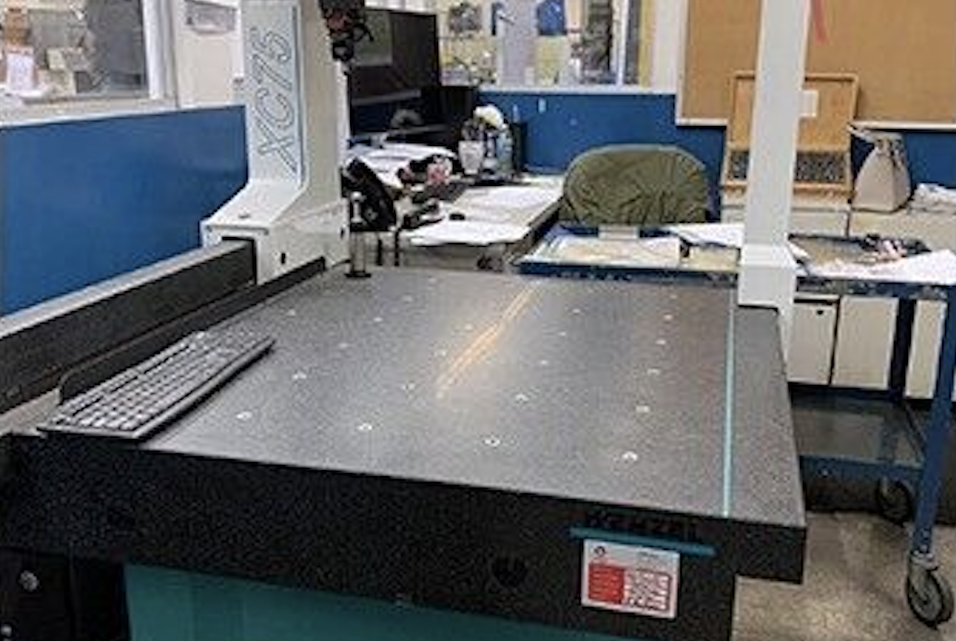
What Should I Pay Attention To When Buying a Second-Hand / used Wenzel XC75 CMM?
If you’re considering a second-hand Wenzel XC75 (also labelled “XCite-75” in some listings) or similar WENZEL CMM, it’s a good machine, but like all precision measuring equipment there are many things to check so you know what you’re buying. Below is a detailed guide: baseline specs, what to inspect/test, questions to ask, red flags, and tips for what makes a good deal.
Baseline Specs of Wenzel XC75 / XCite-75
Here are the typical specs so you know what the machine should be able to do:
| Spec | Value |
|---|---|
| Measuring range (X) | ≈ 27.56 in ≈ 700 mm |
| Measuring range (Y) | ≈ 31.50 in ≈ 800 mm |
| Measuring range (Z) | ≈ 19.69 in ≈ 500 mm |
| Machine weight | ≈ 1,763 lbs ≈ 800-820 kg |
| Permissible part weight | ≈ 1,102 lbs ≈ 500 kg |
| Dimensions | ≈ 64.45 in × 44.37 in × 95.19 in (L × W × H) |
These give you a baseline: you know what travel you have, what size / weight of parts it can handle, etc.
What to Inspect / Test
Here are things you should check in person, ideally with running tests, to assess condition and likely remaining useful life.
| Area | What to Check / Test | Why It Matters / What Could Be Wrong |
|---|---|---|
| Mechanical Structure & Guideways | • Inspect the X, Y, Z axes (bridge / gantry, arm, quill) for smooth motion: move them slowly & then at speed. • Check guide surfaces / ways: any wear, scoring, scratches, chips. • Inspect for flatness / straightness of the base / granite table. • Check for looseness, binding, or inconsistent motion across full travel. • Check protection: bellows/covers over the ways, whether they are intact and not torn. | Wear or damage on guideways causes drifting, errors, stick-slip motion. If protective covers are damaged, parts may have been exposed to dust/contaminants which degrade precision. |
| Granite Components | • Check base plate / table / probe mounting stage for damage, chips, cracks. • Inspect granite cross beam / arms / quill for chips or erosion. • Examine whether the granite has been recoated, or coated with protective layers, or exposed to moisture / corrosive environments. | Granite provides thermal stability & very good dimensional stability; damage reduces that. Moisture or corrosion reduces accuracy & may cause long-term warpage. |
| Accuracy / Calibration | • Ask for most recent calibration certificate & test report. • Do “moving-axis” tests: measure same known gauge at different positions in the travel to detect error across range. • Check repeatability: measure same feature multiple times, see variation. • Check probing performance: does the probe pick up points cleanly; test probe interchangeability if there are multiple probes. • If scanning or non-contact sensors are used, test those too. | Knowing that the machine is still within spec is critical. Over time, thermal drift, wear, or damage causes errors. Requiring recalibration or repairs can add significant cost. |
| Probe / Sensor / Stylus | • Inspect what probe head(s) or sensor(s) are included. Are they in good condition (stylus, touch trigger, scanning tip etc.)? • Check stylus tips for damage or wear; if long or extended stylus, check for flex or wobble. • Check sensor calibration, whether tip changing or stylus retraction mechanisms work correctly. • If the CMM supports optional sensor heads (rotary/swivel etc.), check those functions. | The sensor is maybe the most critical component for output accuracy. Worn or damaged probes or stylus degrade measurement quality. If important accessories are missing or damaged, replacing them might be costly. |
| Control System / Software / Electronics | • Identify which controller version is installed; check software version; see if it’s supported (drivers, updates, spare parts). • Inspect display, control panel, buttons, joystick/hand-wheel etc. Make sure they’re clean, functional. • Examine wiring, cable routing, connectors; especially in moving parts or joints. • Check whether the machine uses air bearings in axes or other special guidance, and whether the auxiliary systems (air supply, filters) are working. • Check any logs / error history (if accessible). • Check whether operator / measurement software licenses are included. | Outdated or unsupported controls may be difficult to maintain. Electronics failure or bad wiring causes intermittent errors. If software licenses are missing, that can be a surprise cost. Air bearings or other special guidance adds precision but also adds dependency on auxiliary services (air, filtration). |
| Environmental / Setup / Facility Conditions | • Temperature stability of environment: do you know if the machine has been in a stable temperature room (metrology room) vs shop floor with fluctuations. • Vibration / floor stability: up on concrete slab; any foundation issues. • Cleanliness: dust, coolant spray, or chips near measuring area; whether covers / enclosures protect well. • Air supply: if used (for air bearings or scale cleaning etc.), check quality (dry, clean, stable pressure). • Lighting and electrical environment: lighting, grounding, EMI noise. | CMM accuracy is heavily affected by environment. Temperature or vibration changes cause measurement errors. Poor air or contamination degrades sensors or moving parts. |
| Part Weight Handling & Mounting | • Given the permissible part weight (~1102 lbs ≈ 500 kg for XC75) check whether the part size / fixturing you need falls well inside that capability. • Inspect mounting fixtures, clamps, jigs, tooling included. • Check table or fixture surfaces: flatness, condition. • Check that the machine’s part insertion/removal is feasible in your workspace. | If parts are too heavy/big, you may need special fixtures or assistance. Poorly maintained table or fixtures reduce accuracy or risk damage. Transportation / handling of large parts may need lift capacity. |
| Maintenance & Usage History | • Ask about how many operating hours; how many years; how intensively it was used. • What kinds of parts were measured: small precision parts vs large rough castings etc. • Whether regular maintenance done (probe calibration, guideway lubrication, scale maintenance etc.). • Any past damage from misuse (crashes, dents, spills, knocks etc.). • Condition of consumables (probe tips, filters, stylus tips etc.). | A well-maintained CMM tends to retain accuracy longer. Misuse or lack of maintenance often leads to hidden damage or wear that may not show visually but impact performance. |
| Spare Parts / Support / Documentation | • Are manuals, calibration certificates, parts lists included. • Are spare parts for that model readily available locally (scales, probe heads, sensors, electrical modules). • Is support (service, calibration, software updates) available in your region. • Are calibration standards or artifacts included (gauge balls, step gauges etc.). • What is the cost / lead time for critical parts. | Even a good machine can become a liability if you can’t get parts or support. Costs for shipping delicate parts internationally or waiting for long lead times can be large. |
| Test Runs / Demonstrations | • If possible, see the machine measuring a known part (with known geometry), e.g. a gauge block, sphere, ring etc. • Test “probe-repeatability”: pick a point, retract, re-probe, see if reading is consistent. • Test motion across full travel: move in X, Y, Z, measure same feature at multiple locations. • Run the machine through a “warm-up” cycle and remeasure to see if drift occurs. • Test all speeds (slow to faster moves), check for smoothness and that axes doesn’t rattle or vibrate. • If non-contact or scanning probes are present, test scanning performance (surface finish, data density, consistency). | Seeing real measurements under load, motion, and after warm up reveals whether the machine is still precise, and whether it has drift or non-uniform performance. |
| Safety & Physical Condition | • Check for structural damage: dents, dropped objects, table damage, loose bolts. • Check that all guards, covers, doors, enclosures are present and working. • Inspect grounding and electrical safety. • Check for signs of contamination: coolant or oil leaks, rust, corrosion. • Confirm that sensors (probe sensors, limit switches) function correctly. • Check whether air filters (if applicable) have been changed / maintained. | Physical or electrical defects pose both safety risk and potential reliability problems. Contamination can degrade precision and damage sensors. |
Questions to Ask the Seller
To reduce risk and uncover hidden issues, here are good questions to ask the seller before or during inspection:
- What is the year / serial number / model revision of the XC75 you have?
- What probe(s) and sensor(s) are included? Are there any accessories (stylus rack, extra styli, scanning heads, etc.)?
- What is the condition of the software / control system: version, updates; any known bugs or issues?
- What is the calibration history: when was last calibration done; any calibration certificates?
- How many hours of operation, and under what conditions (how many hours measuring vs idle)?
- What environmental conditions has the machine been under (temperature control, vibration, cleanliness)?
- Has the machine been moved / transported recently; was alignment checked after move?
- Are spare parts available locally for scales, sensors, probe tips, etc.? What are the anticipated costs?
- Can you run a test piece / known standard to verify measurement accuracy, repeatability, drift?
- What maintenance / service has been done: probe repairs, scale replacements, way lubrication, protective bellows repair, electrical wiring checks, etc.?
- Are there any known issues: noise, sticking, drift, missing parts, non-functioning axes or sensor heads?
- What is included in the purchase: stylus set, software licenses, calibration artifacts, fixture plates, etc.?
Red Flags / Deal-Breakers
These are things that, if you find them, mean either the price must be very low or you may decide to walk away, because they often lead to high costs or poor performance.
- Guideways or scales heavily worn or damaged; cracks in granite base or beam.
- Probe/sensor damage (bent stylus, broken stylus tips, worn probe joints).
- Control/software is too old / unsupported / missing necessary features.
- Calibration past due, or no calibration records, or calibration shows out-of-spec readings.
- Machine has drift after warm‐up or inconsistent measure over full range.
- Poor environmental protection: dust, moisture, heat extremes, vibration (no stable foundation).
- Electrical issues: frayed cables, corroded connectors, power supply instability.
- Missing parts / accessories (probe heads, stylus, fixture plates) such that restoration cost is high.
- Part size/weight requirements exceed permissible part weight or physical envelope.
- If machine has been transported badly, it may have become misaligned; structural damage or mis-leveling.
What Makes a Good Deal / Value Adders
When comparing offers, these are things that add value or are worth paying extra for:
- Recent calibration with certificate showing the machine meets spec.
- Complete set of probes / sensor heads / stylus racks.
- Protective covers & bellows in good shape.
- Proven environmental control (e.g., machine was in metrology room).
- Available spare parts or local support.
- Software licenses up to date.
- Demonstration of performance via test parts.
- Well maintained scales, sensors; replaced consumables (stylus tips etc.) recently.