22/09/2025
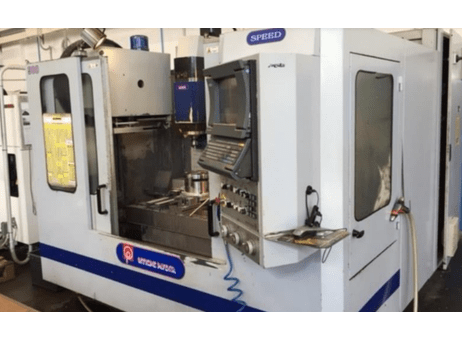
What Should I Pay Attention To When Buying a Second-Hand / used PAVENTA SPEED 900?
What to Confirm Up Front (Specs / Descriptions)
When you talk to the seller, first get clear answers on:
- X, Y, Z travel (how far the machine can move in each axis).
- Table size and maximum load (how heavy the part / fixture you plan to use).
- Spindle speed and power (max RPM, torque, whether there’s high speed or heavy-cut capability).
- Type of tool changer (how many tools, speed, reliability).
- Type of control (what CNC brand, what software version, how maintained).
- Condition of the machine / year of manufacture / total hours of use or number of cycles.
- What extras or accessories are included (fixtures, tooling, coolant system, chip conveyor, etc.).
What to Inspect & Test On-Site
Here’s what to check in person, to uncover wear or potential hidden issues:
- Spindle and Bearings
- Run the spindle at low and high speed: listen for vibration or unusual noise.
- Check run-out (radial & axial): use a dial indicator to measure whether the spindle is true.
- Inspect taper or chuck: any damage, excessive wear, or looseness.
- Axis Motion (X / Y / Z)
- Move each axis through its full range- check for smooth movement, no sticking or jerky motion.
- Check for backlash or slack: reversals should be tight.
- Look at guideways / rails: are they clean, well‐lubricated, with no rust or heavy marks? Are way covers intact?
- Tool Changer / Tool Holding
- Change tools a few times: is the mechanism fast & accurate? Any mis-grips or tools that don’t seat properly?
- Inspect each tool holder: are they worn, deformed, or loose?
- Control & Electronics
- Power up the control: check display, buttons, readouts. <br> Check for alarm or error history.
- Inspect wiring, electrical cabinet: any signs of heat damage, burned wires, corrosion, moisture.
- Check limit switches, homing, safety interlocks, whether they function correctly.
- Coolant / Lubrication / Pumps
- If there is a coolant system, test its flow, check for leaks. Is fluid clean? Are the filters good?
- Lubrication to ways / slides: does the lubrication system work? Are oil or grease points clean?
- Table / Fixtures
- Check table flatness, condition of T‐slots (if present). <br> See if the table holds its alignment under load.
- Fixtures included? Are they in good condition?
- Chip Removal and Cleanliness
- Are chips cleaned away well, or is there accumulation that could damage surfaces or cause contamination?
- Condition of guards or covers.
- Accuracy & Test Machining
- Run a sample part or test cut similar to what you’ll do; measure dimensions, surface finish, tolerances.
- Check performance at different parts of the travel (not just center).
- After the machine runs a while, check if accuracy or behaviour changes (heat drift etc.).
- Wear & Maintenance Signs
- Look for rust, discoloration, wear marks, sloppy joints. <br> Check if parts like bearings, seals, belts have been replaced or show heavy wear.
- Ask for maintenance records: what was done and when.
- Safety
- Emergency stop & safety interlocks functioning. <br> Guards in place. Electrical safety (grounding etc.).
- Installation, Power & Facility Fit
- Machine weight, footprint – can you install it in your location? <br> Do you have proper power supply, coolant, ventilation etc.?
What Raises Cost or Should Lower the Price
These are red flags. If you see several, either negotiate hard or walk away.
- Spindle run-out large or spindle noisy/vibrating.
- Worn or damaged guideways, especially if way covers are broken.
- Tool changer issues: mis-picks, slow operation, broken holders.
- Control panel or electronics in poor shape or obsolete (hard to find parts).
- Coolant or lubrication neglected; filters dirty; leaks.
- Table or fixtures badly worn or damaged.
- Inconsistent accuracy, especially over larger travels.
- No maintenance history or parts replaced.
- Safety features missing or not operational.