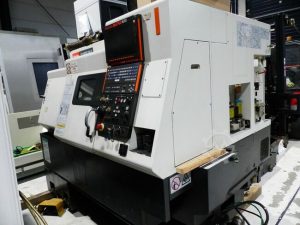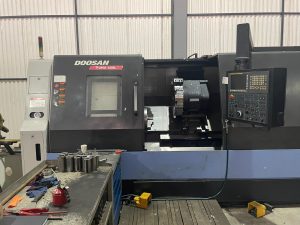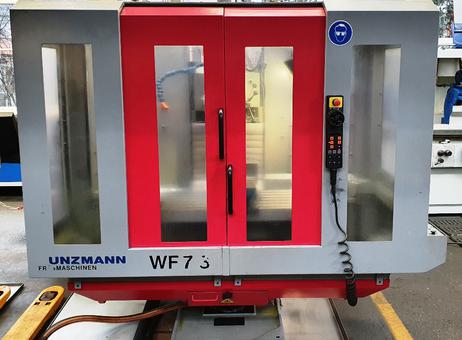
What Do Buyers Look for Before Investing in a Pre-Owned, Used, Secondhand, Surplus CNC Equipment Before Purchase Kunzmann WF 7/3 CNC Milling Machine made in Germany
Below is a detailed checklist and set of guidelines for what a prudent buyer should inspect or verify before purchasing a pre-owned / surplus CNC milling machine (such as a Kunzmann WF 7/3). Many of these apply generally; some are specific or especially relevant to your target model.
Why this is critical
Buying a used CNC is always a risk vs. cost trade-off. A seemingly good deal can become a financial burden if hidden wear, missing parts, or obsolescence problems show up. A careful inspection and due diligence up front can save a lot of money, downtime, and headaches.
Basic specs & “fit check” (model‐specific)
Before even going into condition, you should confirm that this machine can meet your production needs. For the Kunzmann WF 7/3, these are some of the known specs and considerations to check / compare:
| Spec | Known Value / Notes | What to Verify / Confirm |
|---|---|---|
| Travel (X × Y × Z) | ~ 600 mm × 400 mm × 400 mm | Confirm actual travel (full travel, usable travel) – see if any travel is limited or blocked |
| Table size / load | ~ 650 mm × 400 mm, load ~ 250 kg | Ensure your largest workpiece fits; check for sag, flatness, rigidity |
| Spindle / toolholding | SK40 taper (or equivalent) | Confirm spindle type, taper, speed range, runout, compatibility with tooling you intend to use |
| Control / CNC system | Known examples use Heidenhain TNC124 | Check that the control is functional, software is licensed, backups exist, and that it can communicate with your CAM/CAD systems |
| Physical footprint / weight / infrastructure | Approx 2,800 × 2,400 × 2,100 mm, ~2,000 kg | Ensure your shop has the space, floor strength, crane / lift access, power, foundation, coolant, etc. |
If any of these “fit checks” fail, it may not be worth pursuing further.
Key inspection checklist (mechanical, electrical, functional)
Here’s a structured “walk around / test” checklist. Wherever possible, bring a trusted service technician or machinist experienced in CNCs.
1. Visual & external condition
- Frame, castings, welds: Check for cracks, repairs, corrosion, or distortion.
- Way covers, guards, bellows: Are they intact? Torn or sloppy covers allow chips and dirt to enter and accelerate wear.
- Signs of abuse / crashes: Scratches, dents, gouges, flattened edges.
- Rust, discoloration, leaks: Oil, hydraulic, coolant leaks; check basins, sump, piping, seals.
- Wiring & cabling: Loose, frayed, corroded connectors.
- Coolant system: Piping, pump, tanks, filters — are they present and functional (or repairable)?
- Leveling / base condition: Are the leveling surfaces in good condition? Any past misalignment or movement?
- Access covers / doors / enclosures: Hinges, locks, condition.
These items are “low-hanging fruit” that often reveal neglect or abuse.
2. Spindle, bearings, and spindle drive
The spindle is one of the most expensive components to repair or replace, so inspect carefully:
- Run the spindle at various speeds (low, mid, high). Listen for unusual noises: grinding, whine, squeal, rumble.
- After running for several minutes, check for overheating, vibration, or abnormal noise.
- Check for excessive spindle play / wobble (radial, axial).
- Inspect spindle taper: is it clean? Check for scoring or damage. Use a known good toolholder to seat it and see whether it fits snugly, no slippage, and no scoring marks.
- If the spindle has multiple speed or gear ranges, test shifts (if applicable).
- Verify lubricant / cooling or filtering (if spindle is cooled / lubricated) is present and functional.
- Check the housing for oil leaks.
- Inspect condition of spindle bearings (if accessible).
Multiple sources emphasize spindle and bearings as critical “make-or-break” items in used CNC purchases.
3. Linear axes, ball screws, guideways, and backlash / play
Even if the spindle is healthy, poor condition of the axes will degrade precision and productivity:
- Move each axis (X, Y, Z) through full travel. Listen/feel for roughness, stiction, binding, or “dead spots.”
- Check for backlash, lost motion, or hysteresis.
- Use a dial gauge or test indicator to measure straightness, tramming, and deviation over travel.
- Check for wear or scoring on guideways (V-ways, flat ways, etc.).
- Inspect lubrication / recirculating lubrication systems (if present) for proper function and signs of neglect.
- Examine ball screws: check for pitting, wear, metal shavings in the nut, or “notchy” feeling.
- Check the bearings supporting the ball screws (if accessible).
- Review how much adjustment margin remains (can the machine be re-shimmed or adjusted to compensate wear?).
- If applicable, see if there is real-time backlash compensation in the control.
Poor axis mechanics are a frequent source of disappointment in secondhand CNCs.
4. Tool changer / magazine / tool handling system (if applicable)
If your machine has an automatic tool changer (ATC) or a magazine:
- Test the magazine/tool carousel: cycle through all tool stations.
- Check for smoothness, correct indexing, alignment, and whether any pockets are damaged, loose, or misaligned.
- Try tool change under various loads—ensure no jamming or stalling.
- Inspect grippers / retention mechanisms.
- Check sensors, clamps, and signal systems for the ATC.
If the ATC is defective, manual tool changes may be possible, but productivity will suffer.
5. Control / electronics / drives / software
- Power up the machine and observe booting, error messages, alarms.
- Confirm the control panel is fully functional: all buttons, switches, screens, status lights, display clarity, keypads.
- Check memory, parameters, stored programs, and any error logs or alarm histories.
- Confirm you have access to backups / chips / backups of the control.
- Verify software and firmware versions; any maintenance or upgrade records.
- Test communication: DNC, USB, Ethernet, ports, file transfer to/from the controller.
- Test responsibility of each axis on the control: move commands, incremental steps, jog, homing, limit switches.
- Stress test: run a sample program or a “demo cut” (e.g. a simple pocket, circle) and inspect the output for precision.
- Monitor axes under load (with feed) for smooth motion, no stalling, no dropout.
- Check drives / servo amplifiers / motor wiring: clean, no overheating, good airflow, solid cabling.
- Confirm emergency stop circuits, safety interlocks, and all safety guards are functional.
- Confirm that you have or can access full electrical schematics, wiring diagrams, ladder diagrams, etc.—this is critical for future servicing. Many users consider missing schematics a deal-breaker in used machines.
One forum user specifically warns:
“If it does not come with the electrical schematics … move on … they are almost impossible to get for a used machine.”
6. Documentation, history, and parts / service support
Sometimes the less-visible things are most decisive:
- Request and review maintenance logs, repair history, and parts replacement records. A well-documented service history is a strong positive.
- Ask about total “cutting hours” vs “power-on hours.” Cutting hours are more relevant to wear. (Many controllers allow you to read these logs.)
- Ask for “downtime / repair logs” — what major components have been overhauled or replaced (e.g. spindle rebuild, ball-screw replacement, drives).
- Check whether the original operation & maintenance manuals, spare parts lists, wiring diagrams, and schematics are available.
- Ask for the serial number, manufacturing date, and revision history (if applicable).
- Verify availability of spare parts (bearings, seals, drives, boards) for that model or control. If parts are obsolete, maintaining the machine can become expensive or impossible.
- Determine whether there is a dealer or network in your region (or reachable) that can service or supply parts.
- Ask whether the machine was retrofitted, upgraded, or modified (sometimes modifications introduce risk or may not have been done well).
- Ask for proof of calibration or certification (if available).
7. Test under load / trial cut
If the seller allows, perform a “live test” — ideally with a piece of material and a test program. The goals:
- See actual machining behavior under typical loads: does it produce acceptable parts?
- Measure tolerances, surface finish, positional accuracy, repeatability.
- Confirm vibration, chatter, or thermal drift are acceptable.
- Monitor machine stability over extended run (e.g. run for 30 min to 1 hour, then check for drift or error).
- Evaluate how easily the program, tooling, and operations integrate with your existing workflow (post-processor, CAM, tool library).
Some forums suggest making a “NASA test piece” or similar geometric test to see error in roundness, flatness, etc.
8. Warranty, guarantees, acceptance clause
- Negotiate a short “acceptance period” during which the machine must perform to specifications; otherwise, you can reject or get credit.
- Ask if the seller is willing to offer a limited warranty on key components (spindle, drive units) for a short time.
- Ensure the contract or invoice clearly documents condition, working status, and any known defects.
- If buying across borders, account for import duties, transport risk, insurance, commissioning costs, etc.
Risk factors / red flags (things that might be deal-breakers)
While performing the above checklist, look for these big warning signs:
- Spindle damage or excessive play
If the spindle is worn internally or the bearings are shot, replacement cost is very high. - Severe wear on ways / ball screws with no adjustment left
If the machine has exhausted its ability to re-adjust or re-shim, precision is lost. - Missing or faulty control, or obsolete/unsupported controls
If control is dead, locked, or unsupported, conversion may be expensive. - Absence of electrical schematics or documentation
Maintenance and repair become risky without them. - Excessive number of hours or poor usage history
A machine used heavily in rough work (cast iron, roughing) may have underlying hidden stress. - Major repairs or overhauls without documentation
If a spindle was replaced or a control board swapped, but there is no record, something may be hidden. - Obsolete spare parts / no supply chain
If parts are impossible to obtain, future downtime is catastrophic. - No opportunity for a live test
Buying “sight unseen” or purely on paper is high risk. - Structural damage or cracks
Especially castings or bed — rarely repairable economically. - Excessive corrosion, rust, or environmental damage
Indicates poor care; internal components may be compromised.
If you encounter multiple red flags, you should negotiate heavily or walk away.
Special considerations for the Kunzmann WF 7/3 (or similar older German machines)
- Because WF 7/3 machines are older, they may have parts or controls that are no longer in production. Confirm spare part availability for motors, drives, control boards, etc.
- The known control on some units is Heidenhain TNC124 (or variants) — ensure you have or can obtain software, backup disks, keys, licenses.
- Ensure that toolholding taper (SK40 or equivalent) is standard and compatible with your tooling.
- Given its age, check for any prior retrofits or updates (for instance, newer drives, electronics, or axis encoders). Sometimes retrofits can be good, but poorly done ones may cause creeping faults or misalignments.
- Because the machine is heavy (≈2,000 kg) and large (~2.8 × 2.4 m footprint) transport, installation, foundation, leveling, and commissioning will be nontrivial.
Due diligence & checklist summary
Here’s a condensed “must-do” checklist summary before purchase:
- Confirm the machine fits your work envelope, tooling, control, and shop infrastructure
- Perform a full visual inspection (frame, covers, wiring, leaks)
- Test the spindle at various speeds for noise, vibration, and play
- Move all axes; check for smoothness, backlash, wear, and lubrication
- Test tool change / magazine if present
- Power up the control; check all functions, error logs, communication, stored programs
- Run a sample machining test, measure output quality and dimensional accuracy
- Review service history, repair logs, spare parts records
- Secure documentation: schematics, manuals, wiring diagrams
- Negotiate a warranty / acceptance period
- Confirm you can transport, install, and commission the machine in your shop