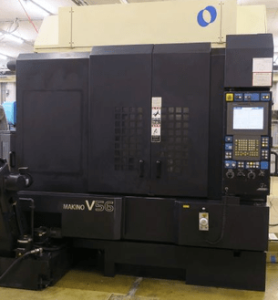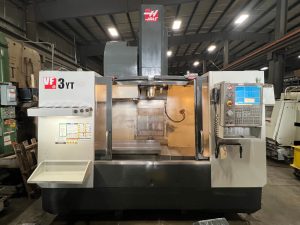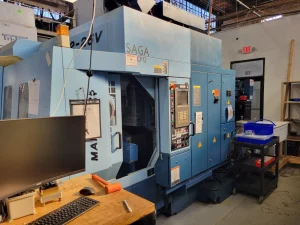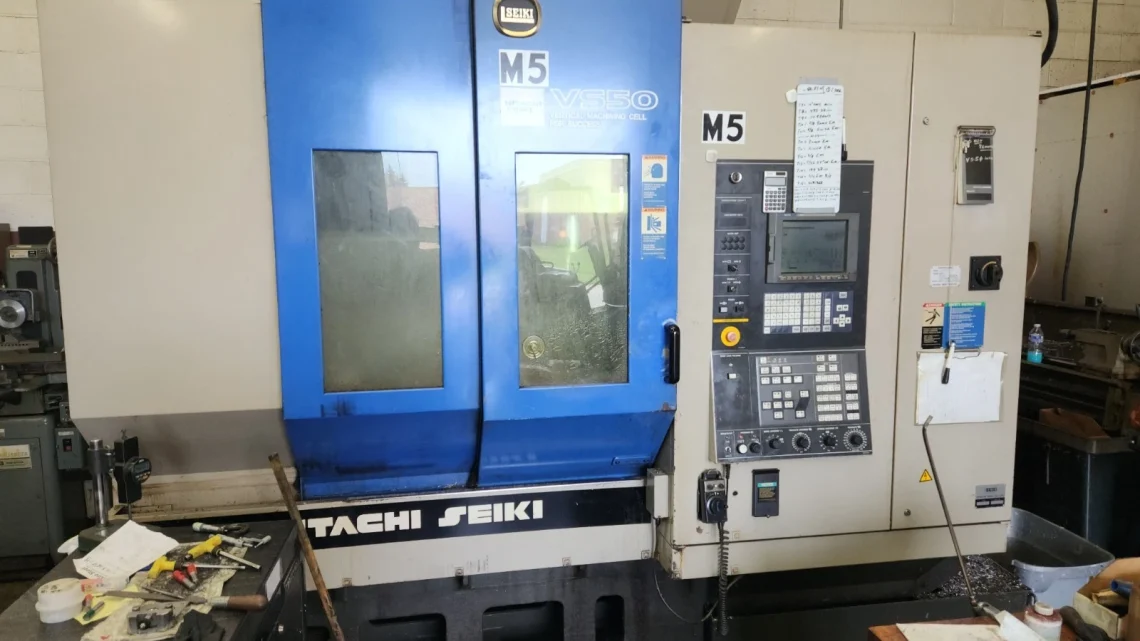
Industrial Insights: How to Spot Quality in Pre-Owned, Used, Secondhand, Surplus CNC Equipment Before Purchase Hitachi Seiki VS 50 CNC Vertical Machining Center made in Japan
Here’s a technical and industrial-grade guide for evaluating a pre-owned / surplus Hitachi Seiki VS-50 (Vertical Machining Center) before purchase. Because these machines are precision tools, your inspection must go beyond surface appearance. Below is a structured approach: baseline spec references, inspection checkpoints, functional tests, red flags, and negotiation safeguards.
1. Baseline / Reference Specifications
Before visiting, get the original spec sheet (or equivalent) so you know what “normal” looks like. For the VS-50, here’s what the literature suggests:
| Spec | Approx / Published Value |
|---|---|
| X travel | ~ 39.3 in (≈ 1,000 mm) |
| Y travel | ~ 20 in (≈ 510 mm) |
| Z travel | ~ 17.7 in (≈ 450 mm) |
| Table size | ~ 44 in × 20 in (≈ 1,120 × 510 mm) |
| Max table load | ~ 750 kg |
| Spindle taper | BT-40 (or equivalent) |
| Spindle speed range | Up to 10,000 rpm |
| Spindle power | ~ 30 HP / high torque arrangement |
| ATC (automatic tool changer) capacity | 20 tools in standard config |
| Rapid traverse & feed rates | High rapid rates (for X, Y, Z) as per Hitachi spec documents |
Also, the VS50 series instruction manual (for VS50 / VS60) gives more detailed specs and system features (feed boxes, guideways, ATC, etc.).
Use these as your “target envelope.” If what you measure or what the seller claims deviates significantly, you know that component needs deeper scrutiny.
2. Pre-Inspection / Documentation Requests
Before going on site, ask the seller for:
- Maintenance logs / service history: spindle rebuilds, guideway regrinding, ATC repairs, bearing replacements, lubrication system servicing
- Total operating hours: distinguish idle hours vs cutting/time in load
- Repair and parts replacement history: what parts have been replaced, when, why
- Original or updated manuals, electrical / pneumatic / hydraulic schematics
- Control / CNC system version & software license (Hitachi / Seiki / SEICOS, etc.)
- Calibration, alignment, or test-cut reports done in the past
- Any modifications or retrofits (e.g. upgraded spindle, added probing, DRO, retrofit of drives)
Having this documentation lets you cross-check and validate what you’ll observe physically.
3. Physical & Visual Inspection On Site
Use a systematic walk-around and hands-on inspection. Bring measuring tools (dial gauge, straightedge, feeler gauges) if possible.
3.1 Frame, Base & Structure
- Inspect the machine base, column, frame welds or castings for cracks, repairs, distortion, or rework
- Check for visible corrosion, rust, pitting, especially in exposed or coolant-wet areas
- Confirm whether the machine is leveled and whether its foundation looks stable (shims, base anchoring)
- Examine guards, covers, doors, splash panels — missing or ill-fitting ones often imply prior misuse or neglect
3.2 Guideways, Slides & Motion Components
- Check linear guide rails, bed ways, slides for scoring, wear marks, pitting, scratches, gouges
- Manually (if power off) jog axes gently—feel for binding, stick–slip, irregular friction
- Inspect wipers, seals, scrapers along slides—ensure they are intact and not letting debris or coolant into motion surfaces
- Examine ball screws / lead screws (if present) and their nuts for backlash, thread damage, play
- Inspect encoder / scale systems and feedback paths (linear scales, encoders) for cleanliness, alignment, damage
3.3 Spindle, Head & Tool Interface
- Check the spindle nose / taper for wear, burrs, scratches
- Mount a test bar (if available) and measure radial runout; check for axial play / end-float
- Rotate the spindle (by hand or low speed) and listen/feel for roughness, vibration, bearing noise
- Check spindle lubrication / coolant / oil feed lines, seals, hoses for leaks, wear, corrosion
- Inspect the spindle drive motor / coupling / gears (if accessible) for looseness or misalignment
3.4 Tool Changer & Magazine
- Cycle the ATC: observe how it picks, places, indexes, arm movement — look for hesitation, misalignment, or crashes
- Inspect tool pockets, clamping surfaces for wear or damage
- Check magazine rails, rails or carousel for smoothness of motion and correct indexing
- Ensure the tool clamp / release mechanism is operating cleanly and without play
3.5 Table / Workholding & Load Interface
- Check the table surface, T-slots, mounting edges — look for dents, gouges, repair marks
- Verify table flatness if possible, or test with precision straightedge
- Check whether the table and its moving mechanism (if it moves) has excessive play or looseness
- Consider whether the load capacity of the table has ever been exceeded (look for structural bending, stress signs)
3.6 Auxiliary Systems (Coolant, Chip Handling, Drives, Electrical)
- Examine coolant system: pumps, piping, filters, coolant cleanliness, leaks
- Inspect chip conveyors, trash chutes, sump cleanliness
- Check electrical cabinet: interior cleanliness, wiring condition, signs of overheating, burnt components, loose connections
- Inspect control panel / operator interface: all buttons, screen, emergency stop, indicators function cleanly
- Verify cooling / temperature control units (chillers, fans) for proper operation
- Check grounding, shielding, cable bundling, conduit routing
4. Functional & Performance Testing
Beyond visual inspection, operation will reveal hidden problems.
4.1 Dry / No-Load Motion Tests
- Jog each axis through the full travel at various speeds; note any jerky behavior, binding, inconsistent response
- Reverse direction, start/stop quickly to test dynamic response
- Run interpolated moves (e.g. diagonal motion) to test synchronization of axes
4.2 ATC / Tool Change Cycles
- Execute multiple ATC cycles in succession — check for mis-picks, delays, collisions, indexing errors
- Monitor whether tool change times match expected performance
- Check for proper tool locking and release
4.3 Simple Machining / G-Code Simulation
- Run a simple program (e.g. a pocket or contour) with light cuts to test axis tracking, interpolation and coordination
- Pause, reverse, command small steps — see whether the machine follows accurately
- Observe acceleration / deceleration behavior, responsiveness and jerk control
4.4 Real Cutting / Test Cuts
- Use material representative of what you intend to process (steel, aluminum, etc.)
- Cut geometries (slots, holes, pockets) and take precise measurements: dimensional accuracy, taper, straightness, surface finish, roundness
- Inspect for chatter, vibration, or deflection effects
- Check whether performance is consistent across the working envelope (corners, extremes)
4.5 Thermal & Long-Run Behavior
- Run the machine under load continuously (or for several hours)
- Monitor for drift, changes in accuracy, variations as components warm up
- Pay attention to any increases in vibration, noise, or heat in bearings, motors
4.6 Repeatability & Backlash Tests
- Program back-and-forth moves (e.g. +10 mm, –10 mm, +10 mm) and measure deviation using a dial gauge or displacement instrument
- Repeat in multiple axes to detect “settling error” or “play”
- Test return-to-origin repeatability over several cycles
5. Red Flags & Deal-Breakers
These warning signs often point to expensive repairs or irreparable mechanical degradation:
- Deep wear, scoring, or gouges in guideways or motion surfaces
- Excessive spindle runout or axial play (beyond acceptable tolerances)
- Roughness, noise, or vibration in spindle or bearing area
- Binding, jerky motion, or uneven friction in any axis
- ATC errors, mis-picks, collisions or unreliable tool change action
- Magazine indexing problems, skewing, misalignment
- Leaks in coolant, lubrication systems, or damaged hoses, lines
- Corrosion, rust, or water damage in structural, electrical, or mechanical components
- Burnt, replaced, or spliced wiring in control cabinet
- Missing or damaged guards, covers, or protective enclosures
- Control software obsolete or missing license keys
- Lack of maintenance history or undocumented modifications
- Inability to perform test cuts or poor results from test cuts
- No spare parts or rare/unavailable components
If you spot multiple red flags, your cost of repair or refurbishment may outweigh the purchase benefit.
6. Economic / Lifecycle Considerations
- Estimate remaining useful life of high-wear components: spindle bearings, ball screws, ways, ATC arms
- Check availability and cost of replacement parts (especially spindle modules, bearings, tool changer mechanisms)
- Compare the asking price plus expected refurbishment costs against comparable machines (new or reconditioned)
- Factor in costs for relocation, leveling, alignment, start-up calibration
- Negotiate a short-term acceptance period or warranty if possible