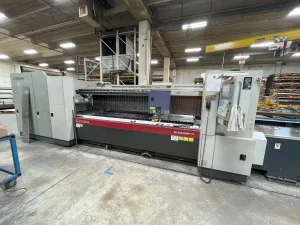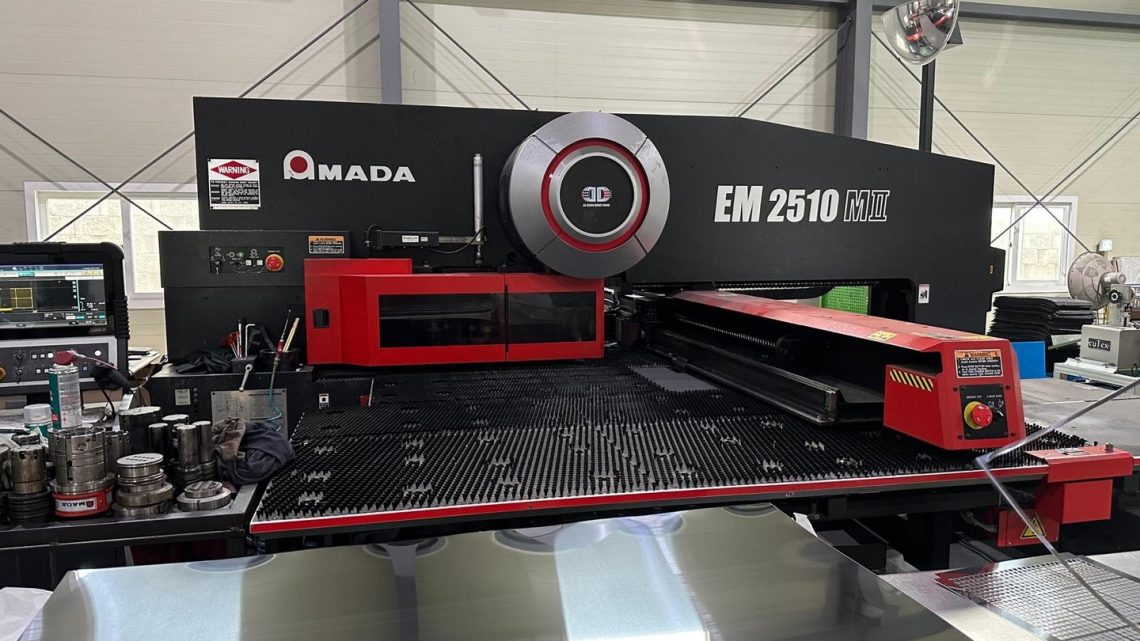
From Inspection to Installation: What to Verify Before Buying a Pre-Owned, Used, Secondhand, Surplus Amada EM-2510 MII CNC Turret Punch 22 Tonnes made in Japan
If you’re considering purchasing a pre-owned (used) Amada EM-2510 MII CNC turret punch (22 tonne / approx. 22 ton) made in Japan, successful inspection + installation require much more than just checking the price. Below is a detailed checklist — from front-end inspection to installation and commissioning — tailored to this machine and similar turret-punch presses.
1. Machine specification & suitability
First verify that the machine you’re buying matches the specs you need and the advertised model. For the EM-2510 MII / EM-2510MII series:
- Amada lists the EM-2510 MII (200 kN / approx. 20 ton) with a working range of 2500 × 1270 mm.
- Example used listing: 22-ton press, throat depth 50″, X travel ~100″, Y ~50″.
- Ensure you know: tonnage (22 tons in this case), table size / travel, turret station count, control version, tooling compatibility.
- Ask: Does it meet your sheet size and thickness requirements? Tool station count sufficient? Turret style (Z turret vs same‐diameter) appropriate?
- Check whether the machine’s drive is servo‐electric (Amada EM-MII series use AC servo twin drive, for example).
If the machine does not meet your size/tonnage requirements or if the tooling or turret style is sub-optimal, you may incur extra cost or reduced production capability.
2. Visual & mechanical inspection (before purchase)
When you inspect the machine in person (or via a trusted agent), go through the following:
A. General condition
- Look at the frame and table: Any visible damage, cracks, misalignment, corrosion, heavy wear or repairs?
- Check the turret and tool stations: Are all stations present? Is the turret indexing smooth? Are there signs of excessive wear, damaged bearings or mis-indexing?
- Inspect the ram/punch assembly and die bed: Are surfaces flat and true? Are punches and dies showing irregular wear?
- Table and support surfaces: Are they flat, free of warping? The brush table (if equipped) should run cleanly with minimal stray metal damaging the table.
- Ensure the machine has been maintained: evidence of good housekeeping, lubrication records, service history.
- Check the control cabinet: is it clean, dry, free of rust? Any evidence of overheating, water ingress, rodents?
- Inspect wiring, motors, air compressor (if used for tables/clamps), pneumatic/hydraulic systems (though many newer machines are fully electric). For example, the EM series brochure emphasises the servo-electric twin drive and absence of hydraulic cooling system.
- Look for alignment marks, shim plates, base bolts: Has the machine been anchored correctly before? Are there modifications? Loose or missing bolts may tell you about past relocation or movement.
B. Operational check
If possible, have the machine powered up and run through a test sequence:
- Check travel speeds: X and Y axis move smoothly, no chatter or vibration, no unusual noises. For example one listing: X-axis speed ~3,950 IPM and Y ~3,150 IPM.
- Index the turret through all stations: verify accuracy of indexing and that each station lines up properly.
- Run punching with a standard sheet to see actual results: Are holes clean? Are tolerances met? Is accuracy within ±0.1 mm (Amada lists ±0.1 mm for the EM-MII series).
- Check clamping / sheet feeding: are the work clamps working, are table feeds accurate, are there missing or worn parts?
- Check safety systems: emergency stop, light curtains, guards, interlocks – these must function properly. The operator’s manual for the EM-2510NT emphasises correct protective device installation.
- Check tooling inventory: How many punches/dies supplied? Are they included? If not, will you need to purchase replacements or additional tooling? Tooling is a major running cost.
C. History & documentation
- Ask for machine serial number, year of manufacture, previous production environment (metal types processed, thickness, duty cycle).
- Request service logs / maintenance history: Has major work been done (turret rebuild, servo replacement, major alignment corrections)?
- Check if spare parts availability is okay (for example older controls may be discontinued).
- Verify whether any modifications have been made (non-Amada components, control upgrades, changed turret style). Unexpected modifications may cost you later.
3. Installation & site preparation check
Once you’ve decided to buy, getting installation right is critical to machine longevity, accuracy, and uptime.
- Site floor & foundation: The machine must be installed on a level and strong concrete foundation. For example, the pre-installation guide for the EM2510 mentions leveling to within 0.05 mm/m in both X and Y directions.
- Anchoring: Anchor bolts must be correctly installed through baseplate into concrete and locked. Without proper anchoring, you’ll get vibration, misalignment and accuracy degradation.
- Electrical supply: Check the machine’s electrical requirements (voltage, phase, current) and whether the onsite supply meets them. For instance, the manual mentions 22 kVA supply for the EM2510NT.
- Air supply & pneumatics: Some machines require clean, dry air for clamping or tool lifter systems — verify compressor capacity, pressure, dryness. The EM-2510NT manual specifies clean dry air at 0.5 MPa.
- Environment: Good lighting, sufficient clearance for maintenance, proper ventilation, scrap removal system (brush table or vacuum system) to keep metal chips away and maintain accuracy.
- Tooling & turret setup: Make sure tooling magazine is correctly calibrated, turret stations are indexed and aligned. Ensure dies/punches are set to correct clearances and turret strike plate is within spec.
- Leveling & alignment: After installation, verify alignment of table surface, ram to die alignment, turret indexing accuracy, X/Y orthogonality, etc. Any misalignment will cost you in part quality quickly.
- Control & software: Ensure the CNC control (AMNC, NT, etc) is functioning, program library is intact, existing part programs can be loaded/tested. If the control is old or has defects, you may face downtime or obsolescence issues.
4. What to verify for readiness & risk mitigation
Here are additional items to check/ask about to mitigate risk in buying a used machine:
- Spare parts availability: Are key parts still available for the model? Turret drives, servo motors, control boards, tooling interfaces.
- Tooling condition & compatibility: The machine may come with tooling — check condition (worn punches/dies), whether tooling matches your parts. If not included, budget for tooling purchase.
- Service/repair history: Has the machine had major repairs? E.g., turret rebuilds, major alignment corrections, major motor replacements. Understand cost implications.
- Usage history: Was the machine used in heavy‐duty production 24/7? Or light intermittent use? High duty machines may have more wear.
- Relocation history: If the machine has been moved many times, that may raise risk of alignment issues, base damage, missing parts.
- Warranty or after-sales support: Even a short support period or vendor guarantee is valuable.
- Shipping & installation cost: This machine is large/heavy (one listing ~40,000 lbs). You’ll need rigging, transport, site preparation, maybe crane, floor reinforcement.
- Hidden costs: Re‐tooling, downtime during installation, calibration, training for operators.
- Return on investment: Given machine age and condition, evaluate remaining useful life vs cost of purchase + installation + tooling vs buying newer machine.
5. Checklist summary (quick version)
Here is a concise checklist you can take on-site or use when reviewing seller info:
- Confirm model number, serial number, year.
- Verify tonnage, table size/travel (X, Y), turret station count.
- Check general machine condition: frame, table, turret, ram, drives, control cabinet.
- Inspect tooling: number & condition of punches/dies.
- Power up demo: test X/Y travel, turret indexing, punch test sample.
- Verify accuracy: punch a sample sheet, check hole quality and tolerance (±0.1 mm if spec).
- Ask for maintenance/service records.
- Check environment of prior operation (sheet types/thicknesses).
- Confirm spare parts availability.
- Evaluate relocation & shipping logistics.
- Prepare site: foundation/level, anchors, electrical supply, air supply, ventilation, tooling area.
- After installation: level machine, anchor it, calibrate turret & table, test production runs, monitor scrap/chip removal, set up tooling changeover procedures.
6. Final considerations
- A used machine like the EM-2510 MII can offer good value if well maintained and correctly matched to your production.
- But the risk is higher than buying new: hidden wear, outdated controls, missing tooling, relocation damage all cost money/time.
- Make sure you allow for installation, calibration, potential repair or reconditioning. Don’t assume “buy and plug-in”.
- Consider contacting a specialist inspection service or asking the seller for video/demonstration of live operation.
- Ensure you have budgeted for tooling and consumables: punch & die wear is a major recurring cost.
- Finally, check whether the control version is compatible with any network, IT, or future upgrades you may need.