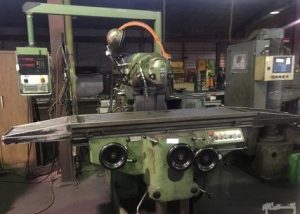
Avoid Costly Mistakes: Professional Tips for Purchasing a Pre-Owned / Second-Hand / used SCM Morbidelli UX 200 CNC Drilling and Machining Center?
Here are professional tips and an inspection checklist to help you avoid costly mistakes when considering a used SCM Morbidelli UX-200 (or UX series) CNC drilling / machining / boring & routing centre. I include what the machine should be, what often goes wrong, what to test, what to ask, and how to evaluate if the deal is good.
What the SCM Morbidelli UX-200 Is / What Spec You Should Expect
Knowing what the UX-200 is meant to do helps you spot misrepresentations, missing features, or excessive wear. Some of its published specs:
| Specification | Typical Value / Feature |
|---|---|
| Working panel size (length × width) | up to ~ 3,200 × 1,300 mm |
| Panel thickness / material capacity | Up to ~ 80 mm for single panels (varies by model UX100 / UX200 / UX200d) |
| Panel weight capacity | ~ 100 kg |
| Axes speeds (X/Y/Z) | ~ 120 / 35 / 30 m/min (max) |
| Drilling / spindles | Many vertical & horizontal spindles (UX200 has more than UX100), RO.AX spindles, optional electrospindle up to ~ 24,000 rpm depending on configuration |
| Tool changers / router capability | Double routers, blade saw in X axis, doweling units, overlapping panel processing etc. |
These specs give you a rough baseline. Be sure the unit you are considering matches or is close enough for your expected use in terms of size, speed, spindle power, tool changes etc.
What Experts Recommend Checking — What to Inspect/Test
Below are key components & systems to check, and how. This includes what tends to fail or degrade in these machines.
| System / Component | What to Check / Test On-Site | Red Flags / What Often Goes Wrong |
|---|---|---|
| Spindles / Drilling Heads / Electrospindles | • Run spindles at several speeds (low, medium, high) for vertical & horizontal units. Listen for noise, vibration. • Check run-out of spindles / drill bits. Use test pieces or dial indicators. • Test spindle cooling / lubrication (if applicable) especially for electrospindles. • Inspect spindle seals, bearings: any oil leaks or heat discolouration. • If RO.AX spindle technology is used, check for backlash or play. | Overheating, worn bearings, poor lubrication, seal failures. Electrospindles particularly sensitive; replacement/motor issues expensive. Equipment that has sat idle may have seized or dried up spindles. |
| Axes (X, Y, Z) Movement, Guideways, Belts, Drive Systems | • Jog full travel on each axis; check for smooth motion, consistency of speed, absence of sticking or backlash. • Move loaded & unloaded: with a panel mounted, see if speed slows too much or motion loses smoothness. • Inspect way / guide covers: look for chips accumulation, dust, damage to way surfaces. • Check belt tension, drive belts or linear/rotary guides for wear. • Check lubrication / greasing of axes; are automatic lubrication systems functioning. | Guideways wear causes inaccuracy, drift; belts or drives slipping reduce accuracy and speed; dirty covers allow chips to damage sliding surfaces. Lubrication failure accelerates damage. |
| Tool Changers, Router / Blade Units, Saws, Doweling Units | • Test the tool changer: does every tool station index, load/unload correctly, fast enough? • For router / saw units: check motor RPM, routing power, blade saw alignment, blade sharpness, guards. • Doweling units if installed: check accuracy, insertion, retraction, whether they align properly. • Test changeover: how fast, how reliable. • Inspect blades, cutter heads for wear, alignment, vibration. | Tool changer mis-alignment or worn grippers; router/spindle power loss; saw blades warped or misaligned; doweling misfits. If these fail, productivity suffers and replacement parts or tooling costs mount. |
| Panel Handling & Clamping / Table System | • Check the feed / loading table, overlap handling (if overlapped panels used), conveyor belts, unload station. • Inspect clamps for wear or alignment issues. • Ensure that clamps still hold panels firmly without shifting. • Check positioning accuracy of fixtures, repeatability of clamping positions. • Observe cleanliness of tables, particularly in clamping zones—chips, dust, adhesive residues etc. | Panel shifting causes inaccuracies, scrap; bad clamp contact may cause damage; worn or misaligned tables reduce quality. Overlapped panels may be misaligned if table feed conveyors are worn or damaged. |
| Control / Electronics / Software / Human-Machine Interface (HMI) | • What is the control version / software revision? Is it updated/supported? • Check display / HMI buttons / touch panels: response, no missing keys. • Inspect control cabinets: condition, cleanliness, ventilation, wiring, any signs of overheating, rust or moisture. • Check backup battery or memory retention: are parameters stored and powered reliably? • Look for error / alarm logs. • Test communications if unit is part of network / has remote diagnostics. | Faulty control or outdated software can cripple functionality; HMI parts may be expensive; lost parameters due to dead battery; electrical faults lead to intermittent failures. |
| Coolant / Dust / Chip Removal / Environment | • Check dust / chip extraction: is there buildup, are extraction fans / ducts clear. • Check coolants / lubricants if used: condition, contamination, maintenance history. • Inspect cleanliness: chips around bearings, axes, electrical enclosures etc. • Check sealing of way covers and guards; ensure chips/dust do not enter critical mechanical or electronic parts. • Check environment humidity, temperature—if stored in damp or unsuitable area, corrosion likely. | Poor extraction / chip control causes wear, blockages; coolant contamination can degrade tooling & components; corrosion quietly ruins mechanical or electrical precision; damp environments worsen this. |
| Accuracy, Repeatability & Test Runs | • Run test panels similar in size to what you plan to use; inspect hole positions (accuracy), routing/grooving quality (finish), panel distortions. • Do repeat jobs to test repeatability (same job installed multiple times). • Measure actual drilling positions vs programmed ones; check skew, drift. • Test for thermal drift: run machine for a while and check whether accuracy shifts. • Check maximum speeds and feeds: is the machine able to reach spec velocities without loss or overload. | Even a machine with everything visually okay may have lost tolerances under use. Drift or misalignment under load can severely affect quality or acceptability of parts. |
| Wear & Service History | • Ask for logs: how many hours under load, maintenance of spindles, replacing bearings, tool heads, belts, saw blades etc. • Whether preventive maintenance schedules followed. • Whether machine had long idle periods; how it was stored (cleaned, preservation). • Whether there have been any collisions, tool crashes, overload run-out, misclamping damage. • Whether parts subject to wear (spindles, clamps, belts, router motors) have been replaced or need immediate replacement. | Lack of service increases risk of hidden damage; wear parts near end-of-life increase cost immediately; crashes or misuse may have structural damage. |
| Utilities, Safety & Infrastructure | • What power supply is needed vs what you have (voltages, phases, stability). • Compressed air, dust extraction, cooling etc. Are these systems included and functional? • Safety guards, emergency stops, interlocks are intact and functioning. • Access, space, foundation load, leveling: machine must be installed structurally sound. • Spare parts availability (spindles, drive belts, router motors, control modules, tool change parts). • Manuals, spare parts lists, electrical / hydraulic / pneumatic schematics included. | Without proper infrastructure and safety, even a well-maintained machine may not be usable or compliant; lead times/costs for spare parts can kill ROI; missing manuals make servicing harder and more error-prone. |
Red Flags & Deal-Breakers (Major Warning Signs)
These are things that, if present, could make a machine far more expensive than advertised, or possibly not worth buying unless at a steep discount or you have the resources to fix.
- Spindles (especially electro / high RPM) that generate excessive vibration, heat, or produce noise.
- Tool changer failures: misindexing, tools dropping, magazine stations misaligned.
- Significant wear or damage to guideways or rails (deep scoring, rust pitting).
- Clamps that do not hold firmly, misalignment in clamping zones, or clamping units that have worn surfaces.
- Dirty or damaged way covers / guards allowing chip ingress into moving parts or electronics.
- Control or HMI failures: dead display, lost parameters, unresponsive control panels.
- Machines that have been idle for long without proper preservation (rust, dried lubrication) or in adverse environmental conditions.
- Cooling / extraction systems not functioning or missing.
- Missing or heavily worn saw blades, router cutters, doweling / accessory units required for your use.
- Machine cannot perform basic test jobs or documentation/tests not provided.
- Spare parts / technical support for control / specific spindles are no longer available or very expensive.
Questions to Ask the Seller
Good questions help reveal hidden costs. Use them before visiting if possible.
- What year is the machine, and how many hours / panels processed (especially under full / typical load)?
- What configuration does it have: model UX200 / UX200d etc; what spindle heads (vertical, horizontal), what router / saw / doweling options are installed? Are all the advertised spindles and heads present and working?
- What is the condition of the RO.AX spindles or electrospindles; have they ever been replaced or repaired? Any issues with overheating / run-out?
- What maintenance history do you have: have spindles, belts, clamps, tool changers, routers been serviced / replaced? How often? Are logs available?
- Has the machine had any crashes, miss-clamps, tool damage, or structural damage to tables or frames?
- What is the condition of the control system: software version, HMI, backups, battery life, any error/ alarm history?
- Are all tooling, blades, cutters, router bits etc included and in usable condition? Which are missing or need replacement?
- What utilities and accessories are included: dust extraction, cooling, extraction fans, loading/unloading devices, table conveyors, clamp units, safety guards etc.? All functional?
- Is the machine currently under power; can I see it running a test job similar to what I plan to run (size of panel, thickness, kinds of operations)?
- Are spare parts available for key wear components in our region; what is their cost and lead time?
Assessing Price, Maintenance Cost & Total Cost of Ownership
To figure out whether the asking price is fair (or if something looks like a “steal” but hides large cost), consider:
- Repair / refurbishment budget: Based on what you find, estimate for replacing worn spindles, belts, clamps; servicing tool changers, replacing router blades / saws; potential cleaning / rebuild of extraction/dust systems; control repairs.
- Tooling & accessories costs: New blades, cutters, router bits, doweling units, clamps may cost significant amount.
- Transport & installation cost: These machines can be large; overlapping panel loaders, conveyors etc must be carefully disassembled/moved/installed. Also leveling, foundation may be needed.
- Utility setup: Dust extraction, cooling (if used), power supply, compressed air may need upgrades or modifications in your facility.
- Downtime & commissioning: Getting the machine running smoothly (calibration, test cuts, fine tuning) takes time and possibly technical support.
- Spare parts / support: If the seller has worn parts replaced recently (spindles, motors, belts), that’s good. But check how easy / expensive those parts are to get in your area.
- ROI timeframe: Given your throughput, panel sizes, operations, cycle times, how soon can you recover investment? Unreliable machines delay that.
- Resale / depreciation: Machines with strong maintenance history, full documentation, and working accessories retain value much better.
Putting It All Together — On-Site Inspection Checklist (UX-200)
Here is a suggested checklist of things you should bring when visiting / inspecting in person. You can adapt to your own priorities (panel sizes, operations etc.).
On-Site Inspection Checklist (SCM Morbidelli UX-200)
- Visual Condition
- Machine overall cleanliness; presence of rust, corrosion.
- Guards, covers, way/guideway shields intact.
- Clamps appear not excessively worn.
- Spindles / Router / Saw Heads
- Run test of vertical & horizontal spindles under varying rpms. – Check for vibration, noise. – Measure run-out on sample drill routing bit. – Check cooling / lubrication fluid flows (if applicable).
- Axes / Motion / Guideways
- Full travel on X, Y, Z; check for smoothness, absence of binding. – Check backlash (e.g. move one direction, reverse, measure error). – Move panel loaded vs unloaded.
- Tool Changer / Routers / Blade / Doweling Units
- Cycle through tool changer: every tool station tested. – Operate router / saw units: RPM, alignment, guards. – Check dowel units, accuracy of insertion.
- Panel Handling / Clamping / Table
- Clamp panel, test location accuracy. – Check loading/unloading conveyors or tables. – Test overlapping panel operation (if used).
- Control & HMI
- Power up, check display, HMI controls, buttons. – View software version. <br> – Inspect control cabinet for wiring, overheating, dust. – Check memory backup, battery status. – Review error/ alarm logs.
- Test Run
- Run a test job similar to what you will be doing (size, thickness, operations). – Check holes, grooves, routing, finish, tolerance. – After some time running, verify accuracy has not drifted.
- Auxiliary / Utilities
- Dust extraction / chip removal: fans, ducts, filters functioning. – Cooling systems if any (spindle cooling, router cooling). – Lubrication / automatic grease or oil system working.
- Wear & Maintenance History
- Request logbooks / invoices for major maintenance. – Find out hours or panel count under load. – Find out if any part has been replaced: spindles, router motors, tool changer components. – Ask about environment: humidity, dust, operation hours per day.
- Safety & Compliance
- Guards / interlocks / emergency stop. <br> – Proper grounding, electrical safety. – Noise / dust / fumes protections. – Manuals, parts lists, schematics included.
- Missing Parts, Consumables, Extras
- Blades / router bits / dowelling set / clamps: condition and presence. – Any optional modules advertised (electrospindle, overlapping panel feeds, extra routers) – present and working? – Spare parts supplied?