What is Robot Interface 2 Developed for FANUC ROBODRILL?
Robot Interface 2 for FANUC ROBODRILL: A Technical Overview
1) What it is
Robot Interface 2 is a factory option for the FANUC ROBODRILL that bundles the controls, safety, and networking needed to form a compact machine-tending cell with a FANUC robot—without a separate cell/PLC controller. In its standard topology, one robot can coordinate up to four ROBODRILLs over Ethernet, while the CNC and robot exchange status, interlocks, and commands through predefined function blocks and HMI screens.
2) System architecture
At a high level, the cell comprises:
- Robot controller (e.g., R-30iB/R-30iB+ family)
- ROBODRILL CNC (α-DiB/α-DiB5 series) with Robot Interface 2 option enabled
- Ethernet network carrying standard data and FL-net traffic
- Safety I/O transported via FL-net Safety (dual-channel safety over Ethernet)
- Auto side door(s), clamps/EOAT, and part presentation hardware
The integration logic is split between the robot’s TPE program and the ROBODRILL PMC ladder, with ready-made ladder blocks and HMI pages supplied so you map only the application-specific signals (e.g., chuck/clamp, part OK, fixture ready). FANUC documents this CNC–robot coupling and provides ladder function blocks for Ladder-III.
3) Communications & networking
FL-net is the FANUC-supported, Ethernet-based field bus used here. It transports both cyclic I/O (handshakes, status bits) and, with the FL-net Safety option, safety signals (fence, door interlock, E-stop). This minimizes hardwiring across the cell and keeps deterministic data exchange inside the same network fabric. Conventional Ethernet services (e.g., FOCAS2/MTCOM monitoring) can coexist on the same physical links using normal IP addressing and switching.
4) Safety concept
Robot Interface 2 treats the cell as a single safety domain. When FL-net Safety is enabled on both the CNC and the robot, the machine door interlocks, enclosure/fence, enabling switch, and E-stops are monitored end-to-end. Safety states are reflected on both HMIs and enforced by the CNC (door interlock stop) and the robot (DCS/servo shutdown). This yields a low-wiring, standards-compliant safety architecture compared to traditional hardwired relays.
5) Operator experience (HMI on both sides)
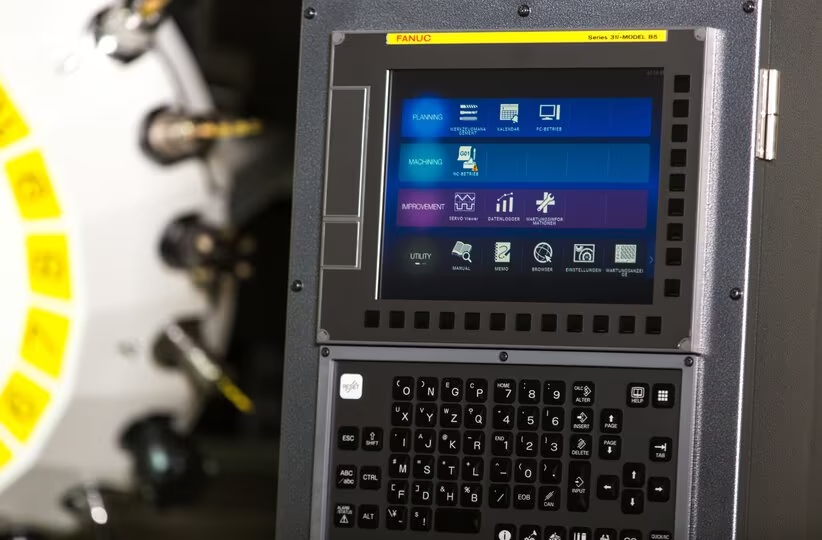
Robot Interface 2 adds dedicated screens on the ROBODRILL panel that allow the operator to:
- Start/stop the automation system
- View cell/robot status and interlocks
- Perform robot manual operations (limited, safety-checked jogging for setup)
- Command auto side-door open/close and run the machine cycle
Conversely, the robot teach pendant exposes CNC function screens so a single operator can bring up both the machine and robot without walking between panels. These dual HMIs shorten setup time and simplify troubleshooting.
6) Typical machine-tending sequence
A canonical loading/unloading cycle with Robot Interface 2 looks like this:
- Cell ready: Robot and ROBODRILL exchange “ready/estop/door closed” safety bits over FL-net.
- Unload request: Robot requests door open; CNC verifies spindle stop/axes in safe state and issues door-open command.
- Part handling: Robot enters, unclamps, removes finished part, places new blank, clamps/OK confirmation.
- Door close & cycle: CNC closes/interlocks door, verifies guards, issues cycle start; robot exits and waits.
- Status reporting: CNC posts part complete; robot resumes when machine signals “unload”.
These handshakes are implemented by mapping your device I/O into the supplied PMC ladder blocks and the robot’s handshake program.
7) Cell topologies & scalability
The option supports 1 robot + up to 4 ROBODRILLs, allowing you to scale from a single machine to a small cluster without re-architecting the control layer. Because each machine holds its own control software (PMC), the cell does not require an external “system controller” PLC; you simply add another ROBODRILL to the FL-net ring and map its signals.
8) Commissioning workflow (high-level)
- Licensing & options: Enable Robot Interface 2 and FL-net/FL-net Safety on both robot and ROBODRILL.
- Network: Assign IPs, connect via industrial Ethernet switch; verify FL-net node visibility.
- PMC ladder: Import FANUC ladder blocks; map door, clamp, cycle start, part OK, alarms.
- Pendant setup: Load the sample TPE cell program; bind to FL-net tags and DCS zones.
- I/O points: Dry-run handshakes; confirm safety transitions (door/fence/E-stop) propagate.
- HMI: Verify cell status, manual ops, and maintenance modes on both HMIs.
- Runoff: Execute trial cycles with actual tooling and part presentation.
FANUC’s official Robot Interface 2 manual provides the precise parameter lists, screen flows, and PMC/DIO mappings used during this process.
9) Relation to FANUC “QSSR / ROBODRILL Robot Package”
FANUC’s QSSR (Quick & Simple Start-up of Robotization) and the ROBODRILL Robot Package build on Robot Interface 2 to shorten integration further. They add prewired harnesses, auto side-door hardware, sample programs, setup guidance screens, and simulation via ROBOGUIDE, targeting rapid deployment of 1-to-2 machine cells (and beyond). If you want a turnkey kit rather than option-level integration, QSSR/Robot Package is the logical path.
10) Advantages and engineering trade-offs
Pros
- No external cell PLC → lower cost, fewer failure points, simpler maintenance.
- Low-wiring safety via FL-net Safety → faster build, cleaner cabinets.
- Dual HMI → faster setup/diagnostics; less operator travel.
- Scalable 1→4 machines per robot.
Considerations
- Option dependencies: You must license FL-net (and Safety) on both sides.
- Determinism: While FL-net is designed for industrial control, network design (switching, segmentation) still matters.
- Application I/O: Custom fixtures, probes, and peripheral interlocks still require careful PMC/DCS mapping.
Bottom line
Robot Interface 2 is the leanest path to a small, reliable ROBODRILL + robot cell: it standardizes safety, networking, and HMIs, keeps complexity inside the ROBODRILL/robot controllers, and eliminates the need for a separate system PLC—while still letting you scale to four machines per robot.