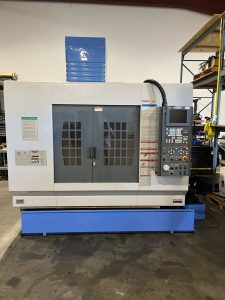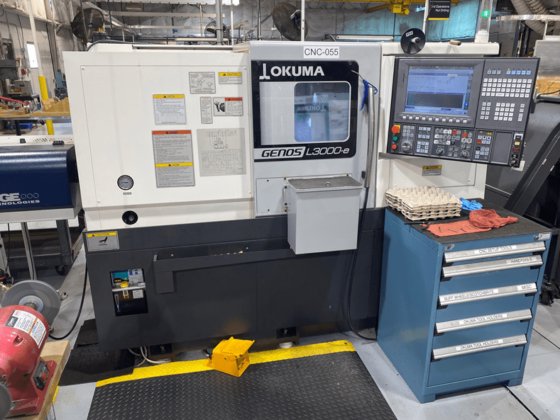
From Inspection to Installation: What to Verify Before Buying a Pre-Owned, Used, Secondhand, Surplus Okuma Genos L300M-E CNC Turning Center made in Japan
If you’re considering buying a used or surplus Okuma GENOS L300M‑E CNC turning center (made in Japan), here’s a detailed checklist—from inspection to installation—to help ensure you cover all critical aspects.
1. Specification & Fit for Your Application
Before anything else, check that the machine’s capabilities match your workpieces and process.
- Verify the exact model and variant (e.g., L300M-E vs L300E-M vs L300-M) since capacities vary.
- Typical specs (for the GENOS L300 series) include turning diameters up to ~300 mm (or even ~340-390 mm in some variants) and work lengths up to ~450 mm or ~1,100 mm depending on model.
- X-axis travel ~235 mm (for many versions) and Z-axis travels varying widely (e.g., 450 mm or more) in some configurations.
- Spindle speeds commonly ~3,000–3,800 rpm, turret positions 12 tools, control unit typically an OKUMA OSP system.
- You should ask:
- What is the exact turning diameter, length between centers, chuck/bar capacity?
- What tooling configuration is installed (live tooling, sub-spindle, Y-axis, C-axis)?
- What control version (OSP model, software version) and how old it is?
- Does it match your product mix (material, number of operations, tolerance requirements)?
- What additional options are installed (tailstock, automation, chip conveyor, coolant system)?
2. On-Site Inspection of Mechanical & Electrical Condition
Once specification fit is confirmed, inspect actual machine condition.
Mechanical / Structural
- Check bed, slant or flat bed (the GENOS series uses box guideways and strong cast base) for any signs of damage, misalignment, repair.
- Test the spindle: smooth run, no unusual noise or vibration, check spindle taper, bore, chuck condition.
- Inspect turret: indexing accuracy, tool clamp condition, live tooling if present.
- Axes: verify X/Z (and Y/W if installed) move smoothly, without backlash or play. Use test program if possible.
- Sub-spindle (if present): ensure synchronization, tailstock (if installed) operates smoothly.
- Check tooling and accessories: chucks, jaws, bar-feed interface, parts catcher, chip conveyor, coolant system.
- Look for signs of heavy wear or abuse: excessive chip build-up, coolant contamination, neglected maintenance.
- Inspect electrical cabinet: condition of cables, any previous modifications, cleanliness, label legibility.
Calibration & Accuracy
- Request or review spindle hour readings, service logs, maintenance history.
- Run a sample part or known standard if possible to verify accuracy and repeatability.
- Confirm the tailstock alignment (if used) especially important for turning longer parts.
- Verify turrets indexing, live tooling performance, any backlash in rotary axes (C-axis) if fitted.
- Inspect coolant and chip systems: coolant clarity, hoses, pumps, filters—poor condition can affect accuracy and longevity.
Control & Software
- Inspect the CNC control: ensure it boots correctly, menus are responsive, software version is compatible with your CAM/operations.
- Check for any custom modifications or older OS that may be hard to maintain.
- Verify licences for live tooling, C-axis, Y-axis etc if needed.
- Inspect human-machine interface: Condition of screen, keyboard, any error logs.
- Network connectivity: if you plan data logging, digital integration or Industry 4.0 features, check Ethernet/USB ports and communication status.
Infrastructure & Utilities
- Check power requirements: machine voltage, phase, amperage (used machines may have been rewired).
- Ensure air supply (if required), coolant, chip removal and disposal were taken care of at previous site.
- Inspect floor and foundation: Is the machine anchored correctly? Was there vibration isolation? If previously installed in heavy production environment, foundation may have been robust.
- Ambient conditions: Is the machine from an environment with stable temperature/humidity? Precision lathes may suffer in uncontrolled environments.
Documentation & History
- Request original manuals, parts lists, service logs.
- Verify number of spindle hours, tool changes, any major rebuilds (e.g., spindle replacement, slide/way overhaul).
- Confirm parts availability: For older machines the cost and lead time of replacement parts can be significant.
- Ask about any modifications: Were there retrofits or custom add-ons that may affect service/support or machine reliability.
3. Pre-Installation & Commissioning Planning
When you commit to purchase, you must plan installation carefully to avoid unexpected costs or delays.
Environment & Foundation
- Confirm floor remains level and vibration-free. If moving machine to new location, may require new foundation or shim work.
- Ensure ambient temperature control: The GENOS series brochure emphasises thermal stability, referencing features like “Thermo Active Stabilizer” to maintain accuracy.
- Ensure utilities (power, air, coolant) are correctly sized and located.
Transport, Unpacking & Setup
- Confirm how machine will be moved: weight, dimensions, whether dismantling (turret removal, chip conveyor removal) is required.
- On delivery: verify no damage, axes well primed (lubrication, coolant) before first run.
- Level the machine, anchor or bolt to floor if required, connect utilities, test safety interlocks, guard systems.
Commissioning
- Run no-load movements: full travel of axes, turret indexing, spindle rotation, live tool checks (if present).
- Load test: run safe cutting operation on test material to verify actual performance.
- Calibration: verify axis accuracy, turning diameter/length accuracy, concentricity, tailstock alignment, tool offsets.
- Documentation: record baseline performance (so you have reference later).
- Operator training: ensure your staff understand control, maintenance, tool setup, live tooling etc.
4. Risk Points & Pitfalls to Watch
- Older machines may have control hardware or software that is no longer supported, making future upgrades or parts costly.
- If the machine has excessive hours or has been used heavily, wear may degrade precision and performance—especially turrets, spindles and axes.
- Moving machine from one shop to another without proper realignment or foundation work can reduce accuracy.
- If previous environment was harsh (e.g., heavy chips, poor coolant management, high vibration) the machine may require rebuilds.
- Before purchase, verify whether major components (spindle, turret, control) will still have parts availability, especially for older models.
- Hidden costs: transportation, foundation work, leveling, calibration, downtime during install—make sure you budget these as part of total cost of acquisition.
- Ensure that the machine’s capabilities truly match your workload: if you purchase a machine with limited axis travel or tool capacity, you may be constrained in production.
- Check for documentation gaps: Without clear maintenance/service history, you risk buying unknown condition.
- Integration: If you plan to integrate the machine into your digital workflow (tooling data, networked data, IoT), verify connectivity and compatibility.
5. Sample Pre-Purchase Checklist (English)
- Has the seller-stated exact model and manufacturing year been verified?
- Do the maximum turning diameter, turning length (between centers), bar/chuck capacity meet your requirements?
- Has the mechanical condition been inspected on-site (spindle run, turret, X/Y/Z axes movement, tailstock, live tooling, etc.)?
- Are calibration, spindle hours, service records and test measurements available?
- Is the CNC control system, software version and licences checked and compatible with your workflow?
- Could the infrastructure (electricity, air, floor, ambient temperature, coolant, chip removal) create any mismatches or additional costs?
- Are transportation, installation, anchoring, leveling, calibration and commissioning costs included in your budget?
- Will the seller provide manuals, maintenance history, parts lists/spares?
- Are spare-parts availability and future serviceability clear?
- Is a first measurement and acceptance test (baseline) planned after installation?
6. Installation & Commissioning Timeline
- Transport the machine to final location and placement (foundation or anchoring may be required).
- Level the machine, secure mechanical connections and verify alignment of base and bed.
- Connect utilities: electrical, pneumatic (if needed), coolant, chip conveyor.
- Perform a dry run (no workpiece): move all axes, index turret, test live tooling/spindle, start control.
- Conduct initial calibration: axis alignment, tailstock check, spindle run-out, live tooling check, sample test cut.
- Operator training: handover control use, tooling setup, maintenance tasks, safety procedures.
- Run initial production parts, measure first batches, compare to tolerance, refine tool offsets, verify quality acceptance from client side.
7. Summary
Acquiring a used Okuma GENOS L300M-E can be a very good investment if you perform due diligence: ensure the machine specs match your needs, inspect the mechanical and control condition carefully, plan for installation/commissioning costs, verify documentation and software, and ensure the environment is suitable for a precision CNC turning center.