25/09/2025
Avoid Costly Mistakes: Professional Tips for Purchasing a Pre-Owned / Second-Hand / used STEFOR RTC 45/11 CNC Surface Grinder
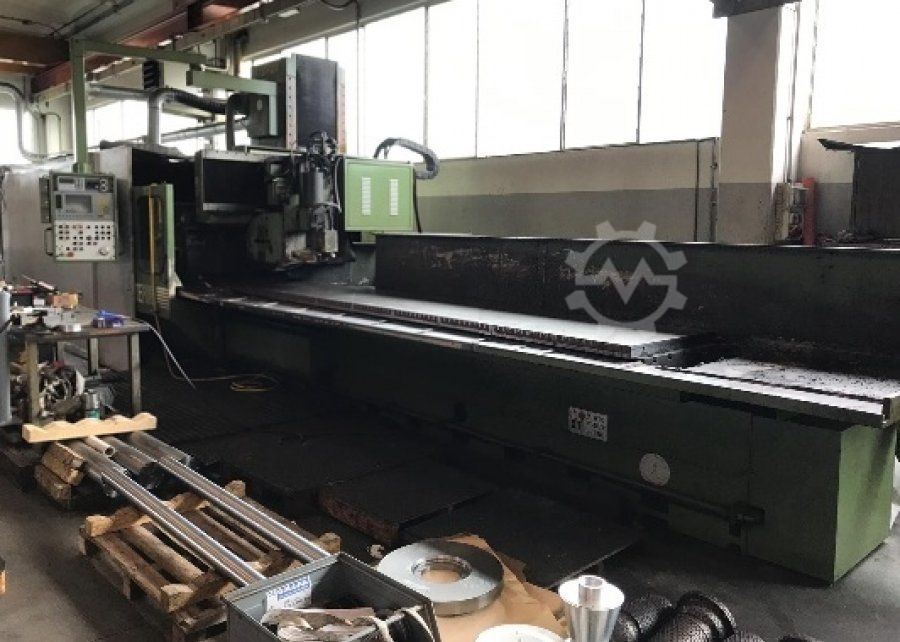
Here are professional tips & a checklist to help you avoid costly mistakes when acquiring a pre-owned / used / second-hand STEFOR RTC 45/11 (or similar STEFOR RTC series) CNC surface grinder.
1. Know the machine family & variant
Before committing, you should:
- Try to obtain the original factory spec sheet, manual, and parts list from STEFOR or rights‐holder. This gives you nominal tolerances, travel ranges, spindle data, etc.
- Confirm exactly which variant you are buying: e.g. “RTC 45/11 CNC” may have different travel ranges, spindle power, table size, control system versions, etc. Some sellers might mis‐label.
- Check whether your variant is common (parts are still available) or rare/obsolete (scarce spares, support, or undocumented problems).
2. Structural & mechanical integrity
Even if a used machine “looks clean,” hidden defects in castings, slides, alignments, etc. can be fatal in grinding operations. Key checks:
a. Bed, base, and foundations
- Look for cracks, repairs, or welds in the main base. Any repair in a cast iron base is a red flag.
- Use a straightedge and feeler gauge (or a long surface plate + optical method) to check flatness or twist in slideways and table surfaces.
- Inspect slideways (longitudinal, cross, vertical) for wear in the scrapes or wear zones. Excessive wear can lead to backlash, chatter, or inability to hold tolerances.
- Check for alignment drift: move table full stroke and measure how much error accumulates (parallelism, perpendicularity).
b. Guideways, gibs, and adjustment mechanisms
- Are the gibs adjustable? Are the original adjusting screws intact and not overly worn?
- Examine for pitting, scoring, corrosion or fretting on guide surfaces.
- Confirm that any anti-friction coatings (if present) are intact.
c. Spindle, bearings & wheelhead
- Ask for logs or records of spindle rebuilds or bearing replacements.
- Try running the spindle (idle) at various speeds and monitor for abnormal vibration, noise, or heat.
- Use vibration analysis or a dial indicator to check radial and axial runout (ideally < few microns for surface grinding).
- Inspect spindle taper, keyways, locking systems, and seating surfaces carefully.
- If the spindle is belt-driven, check belt condition (cracks, stretch) and pulley alignment.
d. Feed & drive motors, ball screws/lead screws, couplings
- If CNC, the drives along each axis (X, Y, Z) must be in good condition.
- Check backlash at each axis direction reversal. If backlash is too large, the machine may require remanufacturing or expensive compensation (if compensable at all).
- Inspect couplings, motor mounts, vibration isolators.
e. Coolant, hydraulic, pneumatic systems
- Check for leaks, corrosion, or contamination in hydraulic circuits (if the machine uses hydraulics for slides, clamping, etc.).
- Evaluate pumps, valves, filters, pressure gauges, and fluid cleanliness.
- For coolant: look for rust, sludge, clogging; test if the coolant still works, how clean it is, whether the sump and filters are intact.
3. Electrical, control, and CNC system
A major failure point in used CNC machines is the control or electronics.
- Control software/hardware version: Check the control model (e.g. SIDAC, Fanuc, Siemens, proprietary STEFOR system), its age, and whether replacements or retrofits exist.
- Memory, backup, custom macros: Ensure machine’s control memory hasn’t suffered loss or corruption. Ask for existing program backups.
- Wiring & cable harness: Look for brittle insulation, heat damage, broken wires, intermittent connectors.
- Servo drives, amplifiers, motor controllers: Power up gradually; check each axis in isolation. Overheating, noise or failure indicates trouble.
- Spare boards/components: For old control systems, replacement boards may no longer be manufactured—verify availability.
- Firmware licensing, CNC key/token, dongles: Some CNCs have tied licensing or hardware keys—make sure these are included and functional.
- Feedback systems (encoders, linear scales, resolvers): Confirm their health; measure for signal stability.
- Human‐Machine Interface (HMI): Test all buttons, switches, screen, and path software for responsiveness and usability.
4. Functional inspection & test grinding
Don’t accept a unit unseen or without testing in real conditions.
- Bring test parts and tools (standard, easy to inspect) to do a test grind.
- Run a full travel in every axis under load (e.g. table + wheel engaged) and monitor for any stalling, irregular motion, or chatter.
- Do a “zero offset repeatability test” (e.g. move away and come back) to check for positional errors.
- Cut a flat surface and measure flatness, parallelism, surface finish, and accuracy across the table.
- Monitor thermal behavior: as the machine warms, does accuracy drift?
- Inspect how the magnetic chuck (if present) performs: strength, consistency, uniformity.
5. Alignment, calibration & documentation
- Check whether the machine is currently (or historically) aligned: geometric inspection reports, laser alignment results, calibration certificates.
- Ask for maintenance logs: bearing changes, slide reconditioning, controller rebuilds.
- Ask for the machine’s serial number, build date, and original documentation.
- Check whether the maintenance history aligns with the hours of use claimed.
6. Spares, consumables & service support
One of the most underestimated risks in buying used machinery is lack of support or parts in future.
- Ask where you can obtain critical spare parts (bearings, servo motors, control boards).
- Check the availability of grinding wheels, wheel arbors, truing devices, tool holders, etc.
- Find out whether any local service support (in Türkiye or nearby) is available for repair, installation, alignment, or retrofits.
- Consider whether a retrofitting with newer CNC or control could be required in future, and whether the mechanical base is good enough for upgrade.
7. Price negotiation & risk allocation
- Use the findings from your mechanical, electrical, and functional inspection to negotiate the price down, or require the seller to remediate outstanding issues.
- Consider an escrow or conditional acceptance clause (pay final upon successful test grinding or acceptance).
- Ask for a warranty period or guarantee (even short, like 30 days) for the major subsystems (spindle, drives, control).
- Allocate risk: who is responsible for transport, alignment after installation, leveling, foundation, electrical hookup?
8. Transport, installation & operational readiness
- Check the machine’s dimensions, weight, lifting points, and shipping constraints (door sizes, crane capacity).
- Discover whether the base requires “re-levelling / under‐foundation regrouting” after transportation.
- Budget for site works: foundations, anchor bolts, power supply, cabling, environmental control (temperature, dust).
- Plan for a “bring-up / acceptance” period: downtime, alignment, test cycles, training.
9. Red flags & deal breakers
Here are warning signs that ought to make you walk away or renegotiate heavily:
- Extensive, unspecified repairs or re-pours in the base or slides.
- Missing or malfunctioning or proprietary control that you can’t service.
- Spindle with unknown or poorly documented history, especially if it was knocked or overheated.
- Excessive backlash or wear in axes beyond economical repair.
- Electrical systems heavily modified or with nonstandard or unsafe wiring.
- Seller unwilling to let you run test grinds or inspect under load.
- No spare parts availability or no support in your country/region.
- No documentation (manuals, drawings, past maintenance history).