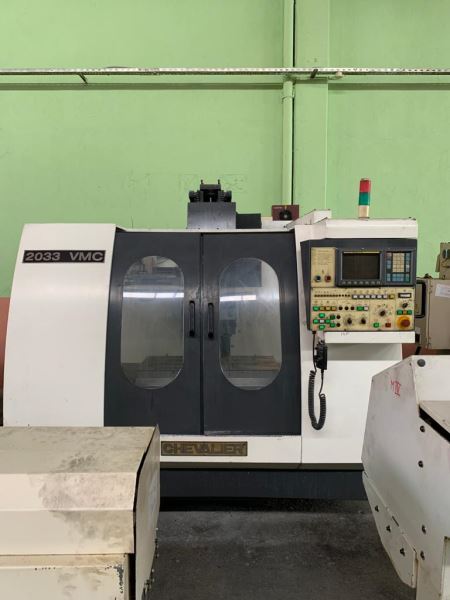
Avoid Costly Mistakes: Professional Tips for Purchasing a Pre-Owned / Second-Hand / used CHEVALIER 2033 VMC?
Buying a used Chevalier 2033 VMC (Vertical Machining Center) can be a cost-effective way to get a capable CNC mill—but it’s also a high-risk purchase if you don’t do your homework. Below are professional tips (and pitfalls to avoid) to help you make a sound decision.
1. Know Typical Specs & What to Expect
Before you inspect any specific machine, familiarize yourself with the “normal” parameters of a 2033 VMC so you know what’s acceptable—and what’s a red flag.
From used listings, typical specs for a Chevalier 2033 include:
| Parameter | Typical Value / Range |
|---|---|
| X travel | ~ 850 mm |
| Y travel | ~ 500-510 mm |
| Z travel | ~ 500-550 mm |
| Table size | ~ 1000 × 450 mm |
| Spindle speed / taper | Up to 8,000 rpm, SK/BT-40 taper |
| Control types encountered | Siemens 802D, Siemens 810, Fanuc, Heidenhain TNC variants |
| ATC / tool changer | 20-station tool changers are common |
Knowing this baseline lets you spot when a seller’s spec is out of line (e.g. a claim of extraordinarily high traverse speeds or a nonstandard axis travel that seems suspicious).
2. Documentation & Provenance
One of the biggest mistakes buyers make is neglecting paper trails. Good documentation increases confidence in what you’re buying.
- Maintenance & repair logs: Ask for full service history, repair invoices, part replacements, etc.
- Original manuals, electrical schematics and control documentation: These are essential for future troubleshooting and part replacement.
- Operating / cycle hours: A machine that’s been run continuously for decades may hide “abused” condition. Note that hours don’t tell the full story, but they help.
- Ownership history: Knowing how many owners it has had, how intensively it was used (e.g. in production vs. light prototyping), and where helps assess risk.
- Spare / replacement parts history: Has the spindle, ball screws, drives, or control modules ever been replaced? These are high-cost parts.
Without documentation, you are relying purely on visual and test inspection—which magnifies the risk.
3. Thorough Physical & Mechanical Inspection
Even with excellent documentation, nothing replaces a hands-on inspection. Use a checklist approach.
Visual / External
- Check the frame, housing, guards, covers for cracks, damage, or signs of repair.
- Inspect way covers / bellows / guards for tears, misalignment, or missing sections. Damaged covers often correlate with internal wear.
- Look for rust, corrosion, pitting especially in coolant sumps, trays, around screws, or in uncoated areas.
- Verify all panels, fasteners, wiring covers are present and in good condition.
Spindle & Bearings
- Run the spindle (at various speeds, forward & reverse) and listen carefully. Any humming, grinding, “whine,” or hysteresis noise is suspect.
- Place a dial indicator in the spindle, deflect it slightly, and rotate to test runout / radial play.
- Check for spindle taper wear (e.g. measure tool-to-holder fit, look for scoring).
Axis Guideways, Ball Screws, Drives
- Move axes in all directions (jog, rapid traverse) to feel for jerkiness, binding, backlash, or “soft” spots.
- Listen to the ball screw / drive motors during motion; any rumbling or quiet grinding is warning.
- Check for backlash using dial indicators. Excessive backlash indicates worn components.
- Inspect lubrication systems: Are the oil / grease lines, pumps, reservoirs intact? Are they functioning?
Control, Electronics & Wiring
- Open the electrical cabinet: look for dust, burn marks, corrosion, loose wires.
- Verify drives, servo amps, power supplies are present, labeled, and appear intact.
- Power the machine, boot the control, and check for error logs, alarms, or abnormal behavior.
- Test all buttons, switches, displays, encoders, and emergency stops.
Tool Changer / Magazine / Auxiliary Systems
- If equipped with an ATC, run through a full tool change cycle. Watch for misalignment, hesitation, or failures.
- Inspect tool magazine pockets for wear or damage.
- Check coolant, chip conveyors, flush / coolant lines, chip guards, pumps, and valves.
Geometric / Accuracy Test
- If possible, machine a test piece (for example, a “NASA test” comprising a cylinder + square + rotated square) to check dimensional accuracy, form, and repeatability.
- Use a dial indicator or laser interferometer to check squareness, straightness, and positioning error across full range of motion.
- Check tramming of the spindle (i.e. alignment of spindle axis to table). Z-axis wear often causes tilt error.
4. Budget for Hidden / Major Costs
Even a machine that seems “OK” at first glance may hide expensive future repairs. Be realistic about your “worst-case” costs.
Major Risk Components
- Spindle replacement / reconditioning is among the most expensive repairs.
- Ball screws or linear guides: if badly worn, replacement is costly.
- Servo drives, inverters, power electronics: aging controllers and power modules often fail.
- Control module / PCB failures, battery-backed memory loss, or obsolete control parts.
- Hydraulic, coolant, chip handling systems that may be old or inefficient.
- Precision alignment work to bring machine back into spec.
Logistics, Transport & Installation
- Crating, shipping, rigging, foundation work, electrical hookup, and calibration all add substantial cost.
- Plan for moving, leveling, anchoring, and alignment at your site.
- Include insurance during transport and setup.
Spare Parts & Obsolescence
- Some older controllers or OEM parts may no longer be manufactured, leading to long lead times or custom solutions.
- Factor in costs to source or recreate scarce parts (e.g. manuals, connectors, specialty sensors).
5. Negotiate Smart & Structure the Deal
- Start with a lower bid accounting for your anticipated repair / refurbishment costs.
- Consider including a conditional acceptance / inspection period: allow final payment after acceptance testing.
- Ask the seller to demonstrate the machine under your supervision (e.g. run test programs, inspect all axes, do tool changes) before finalizing.
- Request as-is disclaimers documented (what is included, what is known, what isn’t guaranteed).
- Demand all documentation, backups, original software, parameter sets, and schematics as part of the sale.
- If possible, get a warranty or limited guarantee for a short period (e.g. 30 days, 3 months) on critical systems (spindle, drives, control).
- Insist on training, calibration, setup support (especially for a complex machine like a VMC).
6. Bring an Expert—or Be One
If you lack deep experience with CNC / VMC machines, bring along a trusted technician, service engineer, or consultant who knows how to evaluate:
- Spindle health
- Backlash and wear
- Control systems
- Electrical systems
Even a highly polished seller may mask defects you won’t notice without expertise.
7. Red Flags That Should Make You Walk Away
- The machine is sold “as is” with no documentation or history.
- Seller won’t allow full operational testing under your oversight.
- You hear odd noises (grinding, whining) during spindle or axis motion.
- Excessive play or backlash is evident in axes.
- Electrical cabinet looks neglected (dust, burn signs, lack of maintenance).
- Control software is corrupted, missing backups, or inaccessible.
- Parts or control modules appear obsolete or missing.
- Tool changer cycles erratically or skips positions.
- The seller refuses your inspection or limits your access to test.
Summary
Purchasing a used Chevalier 2033 VMC is a balancing act. If you carefully:
- Understand what typical specs should be,
- Insist on full documentation and ownership history,
- Conduct a rigorous mechanical, electrical, and geometric inspection,
- Budget realistically (including hidden repairs, transport, obsolescence),
- Negotiate with protections built in, and
- Use expert help when you aren’t confident —
then you greatly reduce the risk of an expensive mistake.